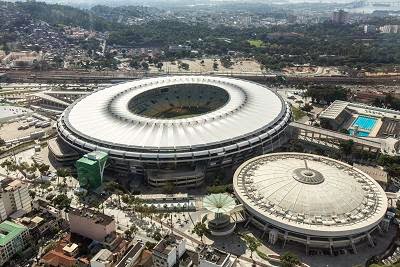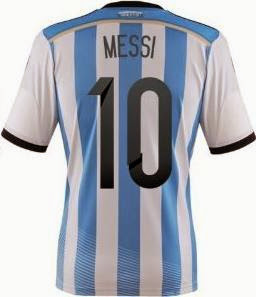
I have been in serious doubt for the last couple of days. Why did FIFA gift (only) the Golden Ball award to Lionel Messi? It was great they gave Messi the Golden Ball only because he is Messi but why didn't they give him the rest of the personal awards and of course, the World Cup? If we make a brief analysis of the situation Messi should have won everything.
Golden Boot
Messi scored four goals in the 2014 FIFA World Cup competition. This achievement is only by two goals worse than James Rodríguez result (James is the top scorer with his six goals). If we count the penalty Messi scored in the shoot-outs with the Netherlands then Messi has even five goals. How could FIFA be so mean and petty-minded to not award Messi the Golden Boot? If they hadn't been able to think of anything more suitable, they could have simply solved it by just "splitting the baby" and naming James Rodriguez the top scorer while awarding the Golden Boot to Lionel Messi. It is just that easy.
Golden Glove
Now, this is the award I do not understand at all. Manuel Neuer got the Golden Glove award for best goalkeeper. How could this happen when Neuer allowed four goals in his net during the competition? Lionel Messi, personally, didn't allow even a single goal for Argentina. How could FIFA be so unfair not awarding Messi the Golden Glove when the stats are so eloquent?
Best Young Player
Paul Pogba got the Best Young Player award. It's quite unfair again. France didn't even qualify for the semi-final so Pogba didn't play enough time to get the award. On the other hand, Lionel Messi made decent promenades in the maximum possible seven games. So, he played a lot, he is much younger than his main rival Cristiano Ronaldo and he is the Best. Obviously, Messi fits all the three words of this title - best, young, player. Go figure it out.
World Cup
And... the World Cup. I really did not understand why the World Cup left for Germany. There were so many areas which Argentina had advantage in. First, Argentina borders Brazil so the World Cup would not have to travel so far. Second, Argentina starts with an "A" while Germany starts with a letter far behind in the English alphabet. Third, Argentina hasn't won a FIFA World Cup competition longer than Germany. I can go on and go on. It's obvious that the World Cup should have been awarded to Argentina. Finally, if the aforementioned is not enough, Germany is a generous nation. Just recall how many billions of dollars they have gifted Greece in the recent years. If FIFA had kindly asked Germany, the German team would most probably agree to transfer the trophy to Argentina and Lionel Messi. Now, we can deservedly blame FIFA again that because of their short-seeing and poor communication skills Argentina failed to get the World Cup from Germany.
But we should admit we could not blame FIFA for everything. It appeared there were other bad people too. According to Wikipedia, the Castrol Index evaluating player performances through statistical data finished with the following starting eleven (with Toni Kroos being the overall leader): Manuel Neuer, Marcos Rojo, Mats Hummels, Thiago Silva, Stefan de Vrij, Oscar, Toni Kroos, Philip Lahm, James Rodríguez, Arjen Robben, Thomas Müller. Yes, Lionel Messi is not even one of these eleven. What an injustice!
If you want to read a funny comparison between football and other sports click here.